
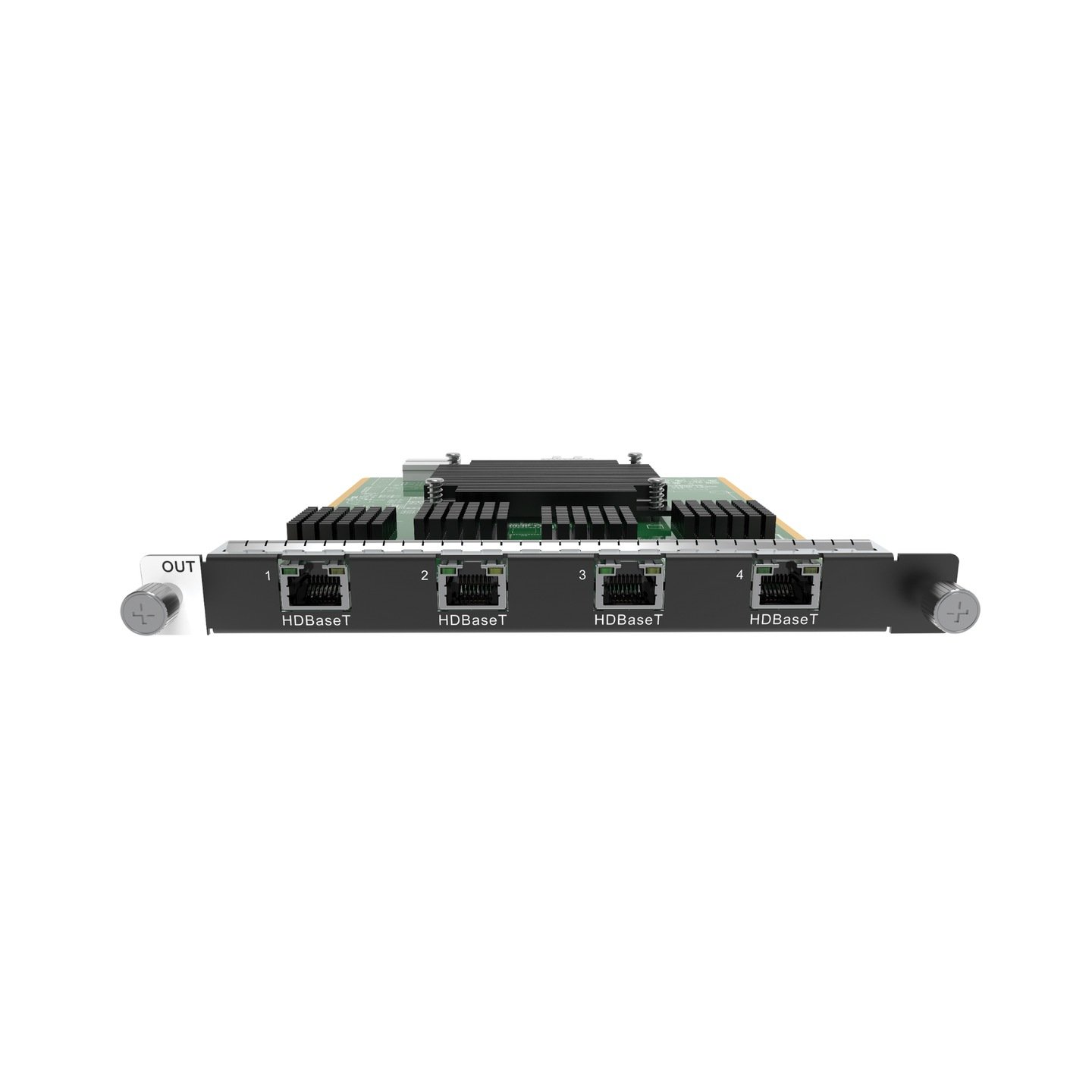
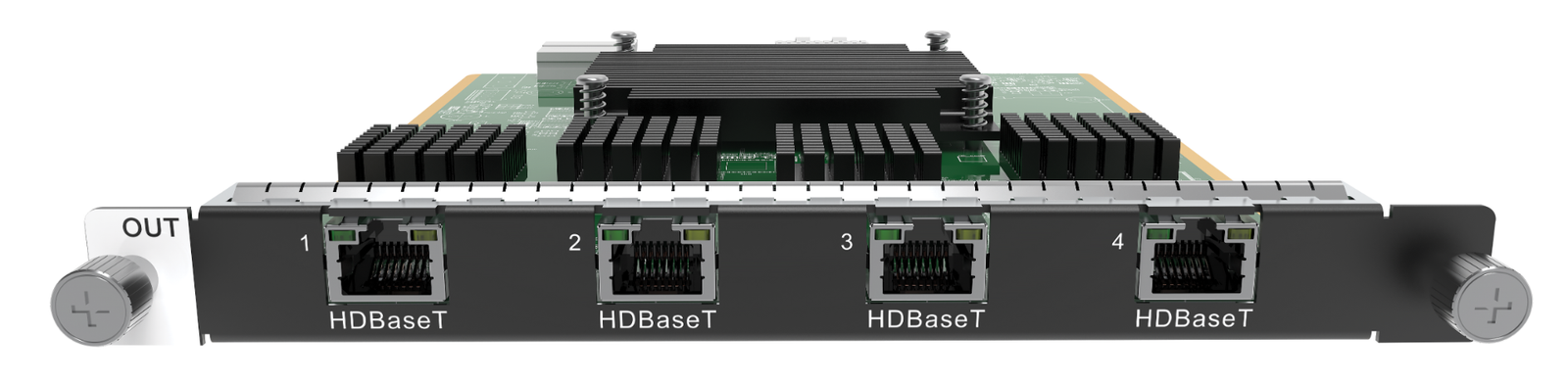
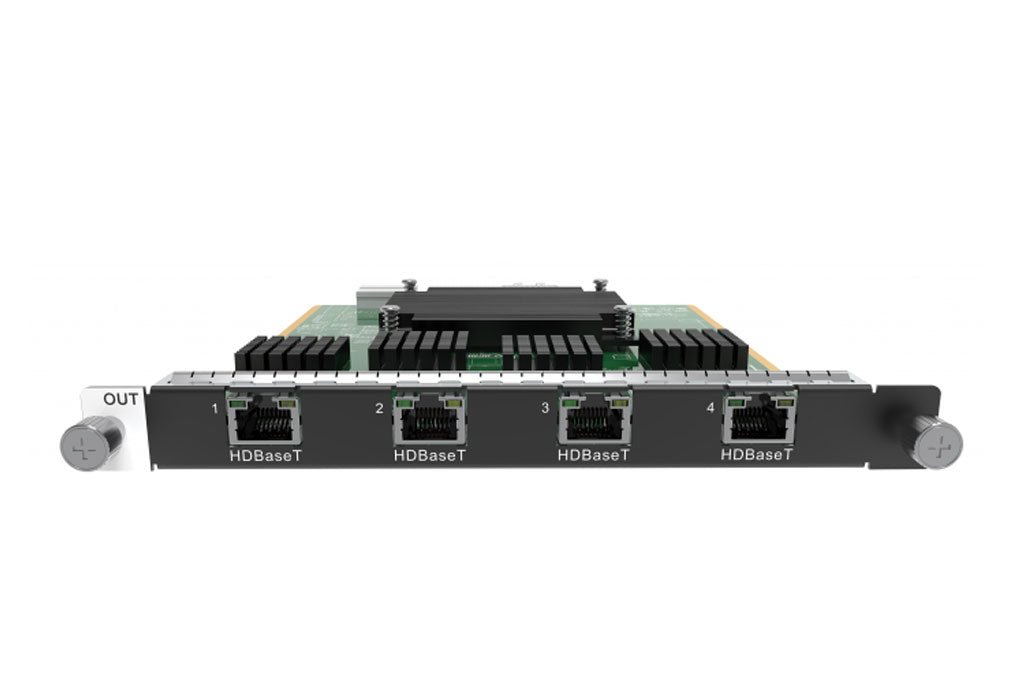
What is NovaStar H_4 HDBaseT output card?
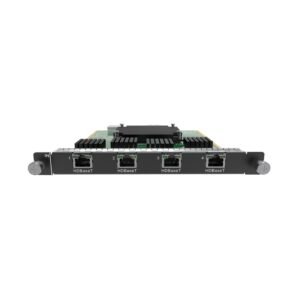
The NovaStar™ H Series 4x HDBaseT Output Card (H_4 HDBaseT) carries a finished H Series picture to compatible HDBaseT display endpoints through four RJ45 HDBaseT ports. It works after the H Series chassis has already arranged the sources into the required screen layout: this card takes the completed layout out to remote displays over the planned Cat cable route.
Choose it when the processor stays in an equipment rack and the destination displays, projectors or monitors are elsewhere in the room or venue. With standard Cat5e or Cat6 cable, NovaStar documents a route of up to 100 m. These RJ45 ports are HDBaseT display outputs—not LED cabinet-data ports. This card is neither the H Series chassis nor an LED sending card for receiving-card networks.
Before ordering, confirm three things: the far-end endpoint accepts the selected HDBaseT output mode; the Cat5e/Cat6 cable route is within the documented distance; and the system needs either four single-link display paths or two higher-resolution primary paths with copies. If the endpoint expects direct HDMI, compare the HDMI output card instead.
Request H_4 HDBaseT output card bulk pricing →
For confirmed multi-card H Series or volume quantities.
NovaStar H_4 HDBaseT output card key features: what makes it different?
- Put the rack and display endpoints in different places: The four HDBaseT ports support transport to compatible remote equipment over a documented Cat5e/Cat6 route of up to 100 m. That can keep the H Series chassis in the equipment room instead of beside each screen.
- Four separate single-link display paths: In single-link mode, all four connectors are available. Each supports up to 2048 × 1152 at 60 Hz, a practical fit when several display destinations matter more than one larger-format output.
- Two higher-resolution primary paths when copies are useful: In dual-link mode, ports 2 and 4 are the primary outputs, while ports 1 and 3 copy them. Each primary supports up to 4096 × 2160 at 30 Hz or 3840 × 1080 at 60 Hz. This is a two-primary-output plan, not four independent 4K outputs.
- Plan show changes around the documented limit: A screen loaded by this card does not support the fade transition effect. Confirm the transition approach during design, especially when remote confidence displays or presentation screens must change on cue.
NovaStar H_4 HDBaseT output card specifications
These are the card-level output limits. The H Series chassis creates the layout, while the selected HDBaseT mode, cable route and far-end display equipment determine how that layout is used beyond the rack.
NovaStar H_4 HDBaseT output card modes: four displays or two higher-resolution outputs?
Choose the mode from the display plan before you order. Single link keeps all four ports independent at its published per-port limit. Dual link gives up two independent paths because ports 1 and 3 become copies of ports 2 and 4.
How NovaStar H_4 HDBaseT output card carries a layout to remote displays
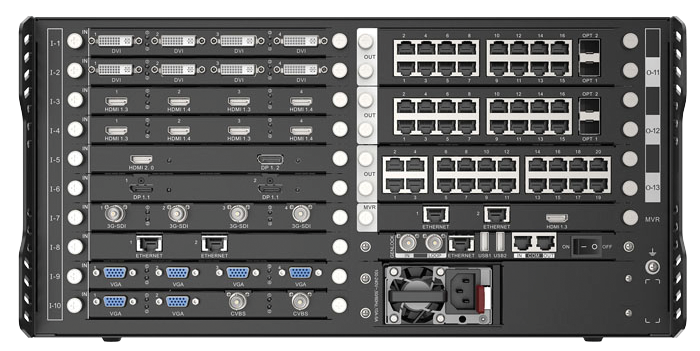
- Build the screen layout in the H Series chassis. Installed input cards bring sources in, and the chassis places them on the required screen or screens.
- Choose single link or dual link for the remote displays. Match the mode to the number of independent display paths and the required resolution.
- Run the planned Cat5e/Cat6 route. Connect each HDBaseT port to its compatible far-end endpoint within the documented 100 m distance.
- Test the final display behavior before handover. Confirm the endpoint picture, selected mode, color settings and the required show-change behavior. For an LED cabinet data path, use a dedicated H_20xRJ45 Output Card instead.
NovaStar H_4 HDBaseT output card vs H_4x HDMI output card
Both cards carry a finished H Series layout to display endpoints, but the connection path is different. Choose HDBaseT when compatible remote endpoints and a Cat route are part of the installation; choose HDMI when the planned endpoints use direct HDMI cabling.
See the H_4x HDMI Output Card for the direct-HDMI alternative.
NovaStar H_4 HDBaseT output card applications
This card fits a planned remote-display route, not an LED cabinet data route. Each example assumes compatible HDBaseT far-end equipment and a cable route within the documented distance.
Remote presentation displays
Keep the H Series chassis in the equipment rack while the completed presentation layout reaches compatible displays in a boardroom, lobby or adjacent space.
Control-room monitor group
Use single link when several compatible operator displays each need an individual path that stays within the published single-link output limit.
Wide display with duplicate feed
Use dual link when two larger-format primary outputs are needed and their duplicate ports serve a real endpoint plan rather than being mistaken for extra independent outputs.
Long Cat-cable venue route
Run the planned standard Cat5e or Cat6 route to a compatible endpoint when the display location is up to 100 m from the equipment rack.
NovaStar H_4 HDBaseT output card manual, specifications and H Series firmware
NovaStar documents this modular card inside H Series chassis specifications rather than as a separate card-only file. The first card is the current official reference that contains it; the remaining files are H Series family resources.
NovaStar H_4 HDBaseT Output Card specifications (PDF, H20 V1.8.0)
Official H20 V1.8 reference that includes the H_4xHDBaseT output-card section.
NovaStar H Series user manual (PDF, V1.15.0)
Official H Series output-card setup and operating guidance.
NovaStar H Series firmware (ZIP, V2.2.0.0)
Verified chassis/family package; it is not H_4 HDBaseT-only firmware.
NovaStar H Series firmware release notes (TXT, V2.2.0.0)
Official changes and update notes for the H Series chassis/family package.
NovaStar H_4 HDBaseT output card FAQs
Can this card connect directly to LED receiving cards?
No. These ports are HDBaseT display outputs. For an LED cabinet receiving-card network, use a dedicated H Series LED sending card such as the H_20xRJ45 Output Card.
What cable distance is documented?
NovaStar documents up to 100 m when standard Cat5e or Cat6 cable is used. Confirm the complete far-end HDBaseT endpoint and cable route before ordering.
How many independent display outputs are available in single-link mode?
All four ports are available in single-link mode. Each supports up to 2048 × 1152 at 60 Hz.
How does dual-link mode use the four ports?
Ports 2 and 4 are the primary outputs. Port 1 copies port 2, and port 3 copies port 4. Dual link provides two primary paths, not four independent higher-resolution paths.
What is the maximum dual-link output?
Each primary output supports up to 4096 × 2160 at 30 Hz or 3840 × 1080 at 60 Hz, within the documented dual-link mode.
Does this card support fade transitions?
No. A screen loaded by this card does not support the fade transition effect. Account for that before finalizing a presentation or show-transition plan.
Should I choose this card or the H_4x HDMI Output Card?
Choose H_4 HDBaseT for compatible remote endpoints and a planned Cat5e/Cat6 HDBaseT route. Choose H_4x HDMI when the display endpoints use direct HDMI cabling.
What does this card do in an H Series system?
It is an H Series display-output card. The chassis creates the layout first, then this card carries that finished picture to the selected HDBaseT endpoints.
Is the firmware file a card-only update?
No. The available file is an H Series chassis/family firmware package. Review its release notes and the selected chassis documentation before any update.
Reviews
There are no reviews yet.