
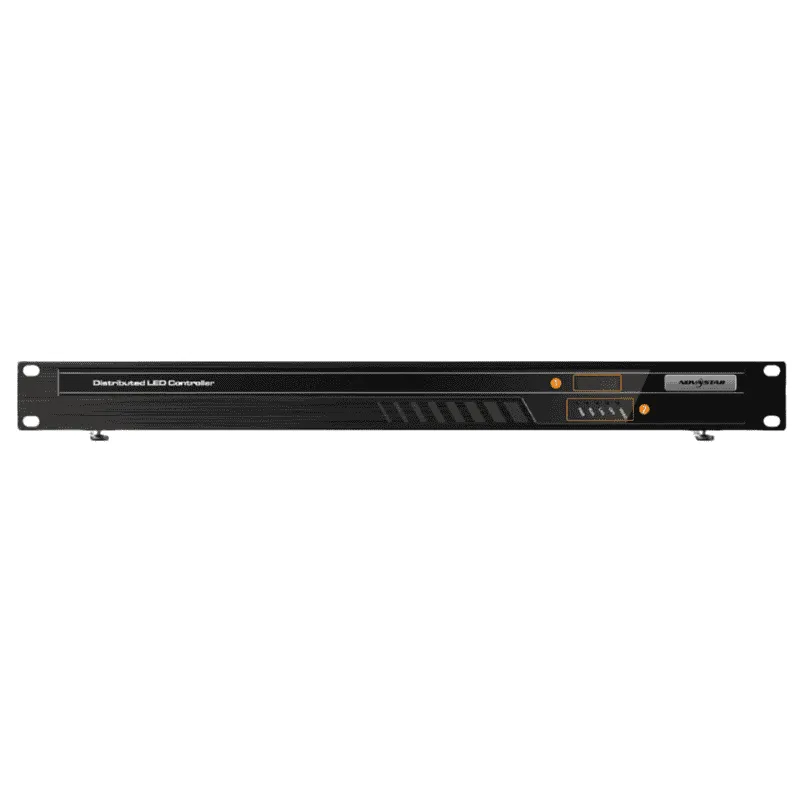
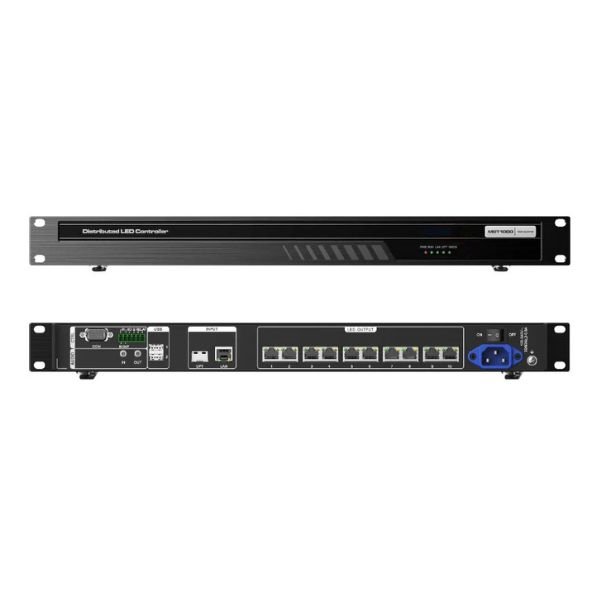
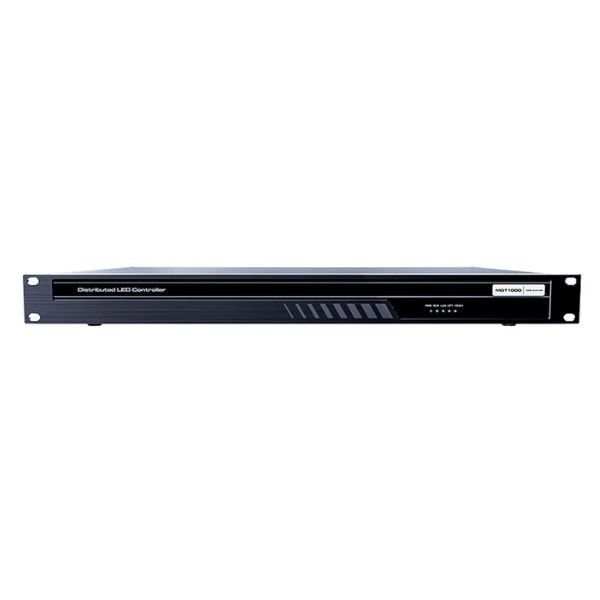
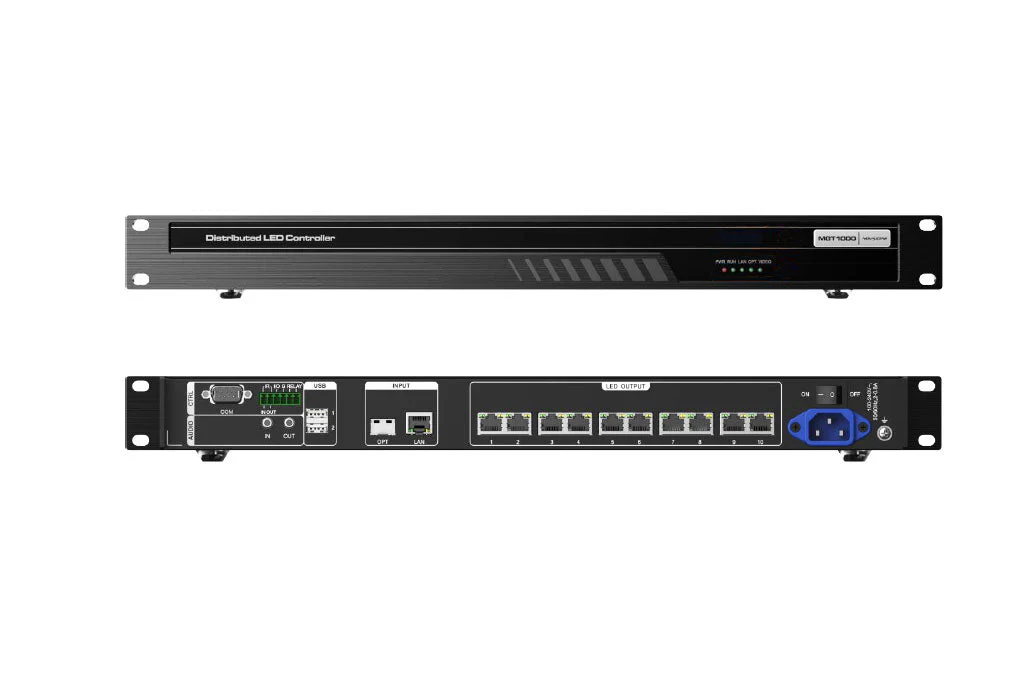
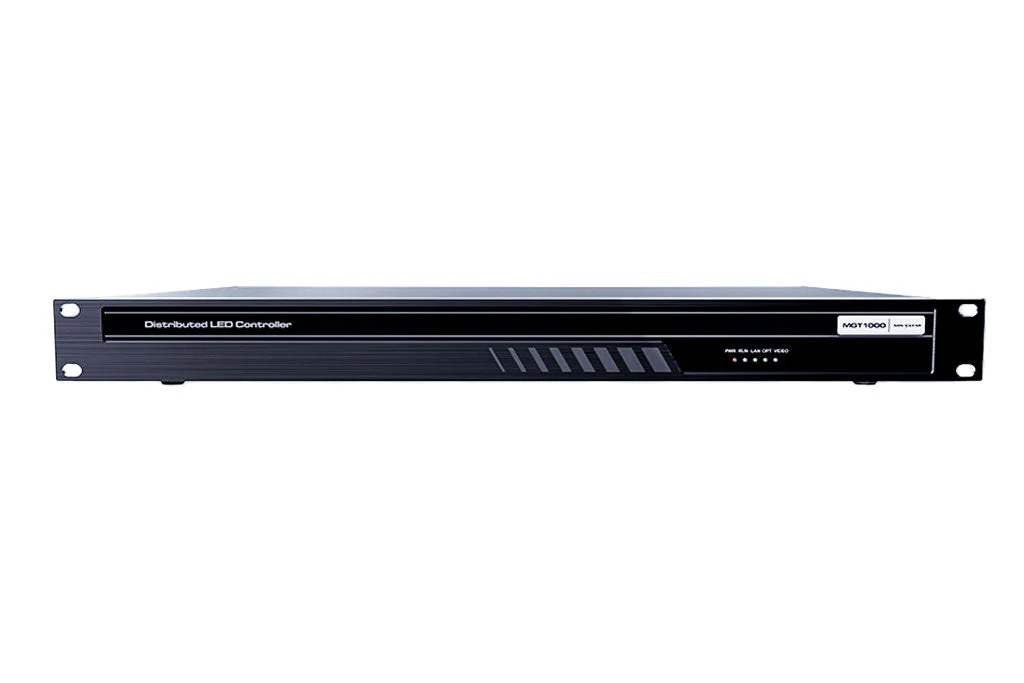
What is the NovaStar MGT1000?
If the screen you are feeding is an LED wall, the NovaStar MGT1000 saves you a box. It is an all-in-one decoder: it pulls streams off your MG network and drives LED cabinets straight out of ten Gigabit ports, so you do not also buy a sending card.
One cable brings everything in. Ten carry the picture out to your cabinets in the wiring order you draw in NovaLCT, exactly as it would leave a sending card. Nothing about the screen itself has to change.
You get up to 6.5 million pixels on one unit and eight layers you can place anywhere on the canvas. On top of that you get a brightness slider, fade to black, freeze and scrolling text over the picture. Presets save your layouts and play them back on a loop or to a schedule.
The reason to buy one is that it takes a box and a hand-off out of your rack. You power, address, rack and maintain one unit instead of two, and there is no HDMI cable between a decoder and a sender to come loose.
Sources reach it over the network and only over the network. An MG420 puts a computer or a player onto that network, and network cameras join it on their own.
MGT1000 key features
Eight layers you can place anywhere
If your wall can only show one source at a time, your shift can only watch one thing at a time.
The screen an MGT1000 loads carries eight layers of up to 2K×1K each. You place and size them anywhere on the canvas, rather than dropping them into fixed tiles. So you can put four camera feeds, a dashboard, a map and two operator desktops on one surface. NovaStar’s SuperView 3.0 scaling keeps each of them sharp as you resize it.
A ninth source has to push one of the eight off.
Brightness, fade to black and freeze
When your room dims its lights, an LED wall still running at full output is the thing everybody complains about.
Screens loaded by an all-in-one decoder get a brightness slider in the web interface, which neither of the other two nodes gives you. Next to it sit fade to black and freeze. Fade to black takes your wall down while the sources keep running; freeze holds the last frame while the picture underneath keeps changing.
All three are switches in the interface, so you never walk out to the wall to use them.
Scrolling text over the picture
If your wall shows a status without words, the one person who can read it becomes the bottleneck.
You can lay text over the screen, static or scrolling, in a strip from 64 to 19,200 pixels wide and 64 to 3,240 pixels high. Font, size, color, background, opacity, alignment, direction and a scrolling speed from 0 to 10 all sit in the same panel. Your shift caption or alert banner does not cost you a layer.
Layouts that run themselves
If somebody has to rebuild the same layout every morning, that is the job that gets skipped in the week it matters.
Save a finished arrangement as a preset and recall it by name, or let presets play in sequence on a loop or against a schedule. Your wall then moves to its morning layout, its handover layout and its overnight layout without anyone opening the interface.
Will your screen fit on one MGT1000?
One MGT1000 carries 6.5 million pixels, up to 10,240 pixels wide and up to 8,192 pixels high. Your screen has to clear all three figures, and it is the combination that catches people rather than any single number.
A long ribbon usually runs into the width limit first. A 9,600 × 640 band above a concourse is 6.14 million pixels and 9,600 wide, so it clears area and width together and lands on one unit.
A tall screen usually runs into the area limit instead. A 3,072 × 2,304 wall breaks no dimension limit at all, but its 7.08 million pixels put it over the ceiling. The shape looks comfortable and the pixel count is not.
| Your screen | Pixels | Against the ceilings | Units |
|---|---|---|---|
| 9,600 × 640 ribbon | 6.14 million | Inside all three | One |
| 3,840 × 1,620 wall | 6.22 million | Inside all three | One |
| 3,072 × 2,304 wall | 7.08 million | Over on area | Two |
| 12,288 × 512 ribbon | 6.29 million | Over on width | Two |
If you go over any of the three, you add a second MGT1000 rather than compromise. Each unit shows up in NovaLCT as its own sending card number, and the connected units link themselves. You draw the wiring the way you would for any multi-sender screen.
The join is where a two-unit wall usually gives itself away, and that is what the synchronization is for. Full-link nanosecond sync holds every decoder’s output in step, so a car crossing the boundary does not tear in half.
Work out your pixel count first, then your two dimensions. If any of the three is over, budget the second unit at the drawing stage rather than at commissioning.
MGT1000 specifications
These figures tell you what the box will drive, what it needs from your rack, and how it differs physically from the other two MG nodes.
| Role | All-in-one decoder: MG-series decoding plus LED sending in one unit |
|---|---|
| LED outputs | 10× Gigabit Ethernet ports to the cabinets |
| Loading capacity | 6.5 million pixels |
| Maximum width | 10,240 pixels |
| Maximum height | 8,192 pixels |
| Layers | 8× 2K×1K, freely positioned |
| Network input | 1× Gigabit LAN, also the port NovaLCT talks to |
| Optical input | 1× 1G OPT port taking 1.25G modules, usable as the LAN backup |
| Video input | None. Sources arrive over the network |
| Audio | 1× 3.5 mm in, 1× 3.5 mm out |
| USB | 2× USB 2.0, listed as reserved |
| Control | 1× RS485 and 1× RS232, IR in and out, 2× I/O at 3.3 V, 1× relay rated 30 V DC and 3 A |
| Power | 100–240 V AC, 50/60 Hz, 2 A to 0.8 A |
| Maximum draw | 35 W |
| Dimensions | 482.6 mm × 334.2 mm × 50.1 mm |
| Weight | 4 kg net, 6.3 kg gross |
| Operating range | −10 °C to +60 °C, 0% to 80% RH non-condensing |
| Certifications | CCC, CE, FCC Class A |
Two rows change how you draw the rack. This unit runs on mains rather than PoE, so you need an outlet on your PDU that its half-width siblings do not. At 482.6 mm across it also takes a full rack width, where an MG421 takes half.
What it replaces, and what you still need
It takes one box and one hand-off out of your drawing. A decoder feeding a separate sending card over HDMI becomes one unit with the sending function built in. You rack, power, address and maintain one thing instead of two. The cost comparison against that two-box path sits on the MG421 page, where the sending card is the variable.
Three things stay on your bill of materials.
An encoder for anything local
The MGT1000 has no video connector, so a laptop wheeled in front of it has no way in. Everything reaches it as a stream, which means one MG420 for each computer or player you need on the wall. Network cameras are the exception and join over ONVIF or RTSP with no encoder at all.
Receiving cards and the usual cabinet wiring
The ten ports feed receiving cards in your cabinets exactly as a sending card would, so nothing about the screen changes. An existing wall keeps its cards, its configuration file and its cabinet order.
The right NovaLCT build on your commissioning laptop
You configure the screen in NovaLCT rather than in the MG web interface, and NovaStar names two builds for it: NovaLCT V5.4.7, or the customized V5.4.4.6 Beta8. Your laptop points at the primary management node’s IP address. From there you draw the cabinet wiring port by port, the way you would on any NovaStar screen.
Check that version before the van is loaded. It is the cheapest thing on this list to get wrong and the most annoying.
MGT1000 datasheet, manual and NovaLCT
Three files cover this unit, and they split along a clear line. Two of them describe the MG system, and the third is what you configure the screen with.
The MG-series specification, V2.1.0, gives you the rear panel, the port count and the pixel ceilings. The user manual, V3.2.0, gives you the layer, preset, brightness and text controls, plus the NovaLCT procedure step by step. NovaLCT itself is what you commission the screen with, and the manual names the builds it expects.
Both NovaStar documents are written for the series rather than for this model. You will find the MGT1000 figures in a column beside the MG420, MG421 and MGT2000.
NovaStar MGT1000 FAQ
Can I plug a laptop into the MGT1000?
No. It carries no video input, so a local machine reaches your wall through an MG420 encoder on the same network. The MGT2000 is the family member with an HDMI input, and NovaStar lists even that one as reserved.
Can an MGT1000 also be an operator position?
No. Its two USB ports are listed as reserved, and NovaStar fixes its device type as the all-in-one node with no option to change it. Your operator desks need MG421 units set as KVM nodes.
Does an MGT1000 replace my sending card?
Yes, for the screen it drives. Its ten Gigabit ports go straight to the receiving cards in your cabinets. You draw the wiring in NovaLCT the same way, with the unit appearing as a sending card number.
How many MGT1000s does a screen over 6.5 million pixels need?
Do three divisions and round each one up: your pixel count by 6.5 million, your width by 10,240, your height by 8,192. The largest of the three answers is what you budget for, and nanosecond synchronization is what keeps their outputs in step once they are in.
Which NovaLCT version does the MGT1000 need?
NovaLCT V5.4.7, or the customized V5.4.4.6 Beta8, are the two builds NovaStar names for it. Check what is on your commissioning laptop before the site visit, because you cannot configure the screen from the MG web interface.
Is the MGT1000 powered over Ethernet?
No, it runs on mains. It takes 100–240 V AC at up to 35 W and ships with a power cord, so you need an outlet for it. The half-width MG420 and MG421 can take PoE from the switch instead.
Can the wall keep running if a network cable is cut?
Yes, if you wire the second path. The LAN and OPT inputs back each other up, so a break on one moves your incoming streams to the other. The optical port takes 1.25G modules, which is the sensible choice when your rack and your screen are in different parts of the building.
What warranty does the MGT1000 carry?
Three years of serial-tracked manufacturer coverage, supplied through our authorized US NovaStar channel.
Is there volume pricing on more than one unit?
Yes. A wall that needs two or three of these is exactly the case for it, and we quote a multi-room rollout as one order. Send the model and the count.
Can we buy on a purchase order or NET terms?
Yes, for approved buyers. Purchase orders and NET terms, Net 30 included, may be available to schools, government buyers, venues and established integrators.
How do I order the MGT1000?
Add it to the cart and submit the order request. Nothing is charged at that point: we confirm stock and quantity, apply volume pricing and send the invoice.
Reviews
There are no reviews yet.